The phone surface for HerdrOpen source · Free
Agents that run on your computer,
continued from your phone.
- Runs in the browser, no app to install
- No account
- End-to-end encrypted
Codex and Claude keep running on your computer, and leaving your desk doesn't stop the work: check progress, reply, and confirm from your phone. Phone and computer share the same terminal. It is not a remote desktop.
- 01Write on the phone
- 02Tap Send and it's in the computer's terminal
- 03The agent stops to ask
- 04Tap Enter on the phone and both sides carry on
How does it work?
Install once on the computer, scan once with the phone.
The first two steps run in a terminal on the computer with Herdr; the third is on your phone. After that, you're set.
- ComputermacOS or Linux with Herdr 0.8+
- Phone / tabletJust a browser; on iOS, add it to the Home Screen from Safari
- NetworkBoth sides online, no ports to open
-
# in a terminal on the computer
curl -fsSL https://pairfob.com/install.sh | shverifies the download · enrolls this computer · installs a user service
then starts at login and launches Herdr
$ pairfob doctor
tells you what is still missing
1On the computer
Install pairfob
Needs Herdr 0.8+, which runs your coding agents; Pairfob doesn't replace it. macOS and Linux.
-
$ pairfob pair
Scan from the other device:
Can't scan? Type this pairing code:
K7QF-3M9D-a8
Waiting to pair… Ctrl-C to cancel
2On the computer
Run
pairfob pairA QR code appears in the terminal. Leave it there for the phone.
-
3On the phone
Open pairfob.com/pair and scan
After the scan, the terminal shows
Press Enter to pair. Press Enter on the computer and you're paired.https://pairfob.com/pairOpen it on your phone. Don't open it on this computer.
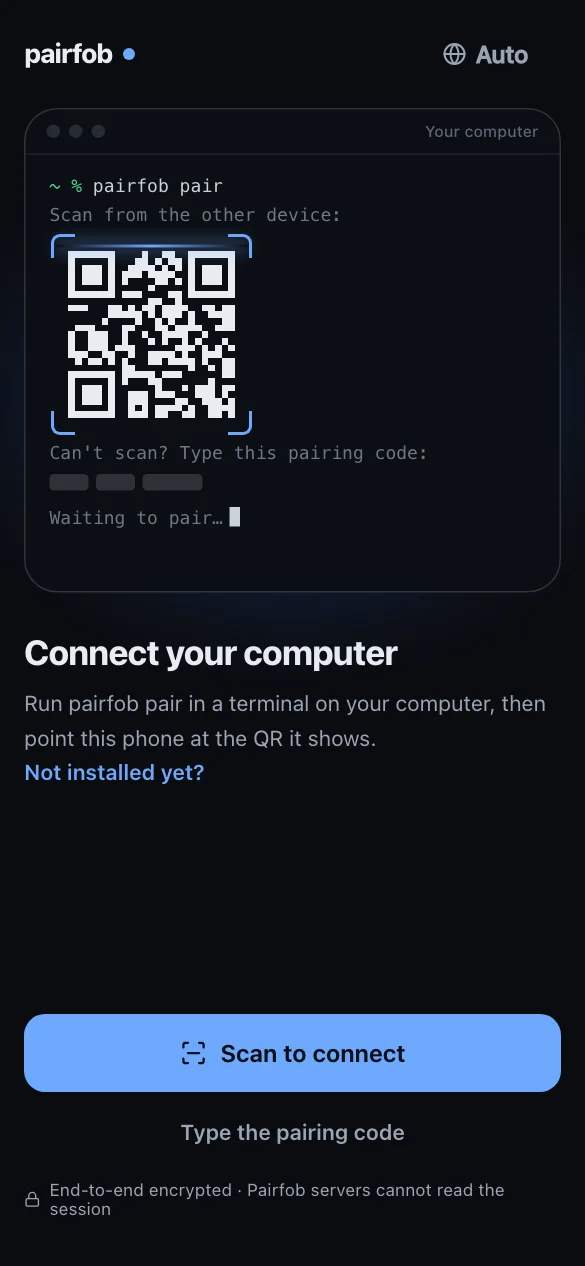
Every time afterOpen pairfob.com/pair or the Home Screen icon and you're in your computer's sessions.
A second computerRun step 1 there too, then on your phone: Settings → Switch computer → Add a computer.
What does it do for you?
You're away from the desk.
Your agents don't have to wait.
Tap any item to see the real screen.
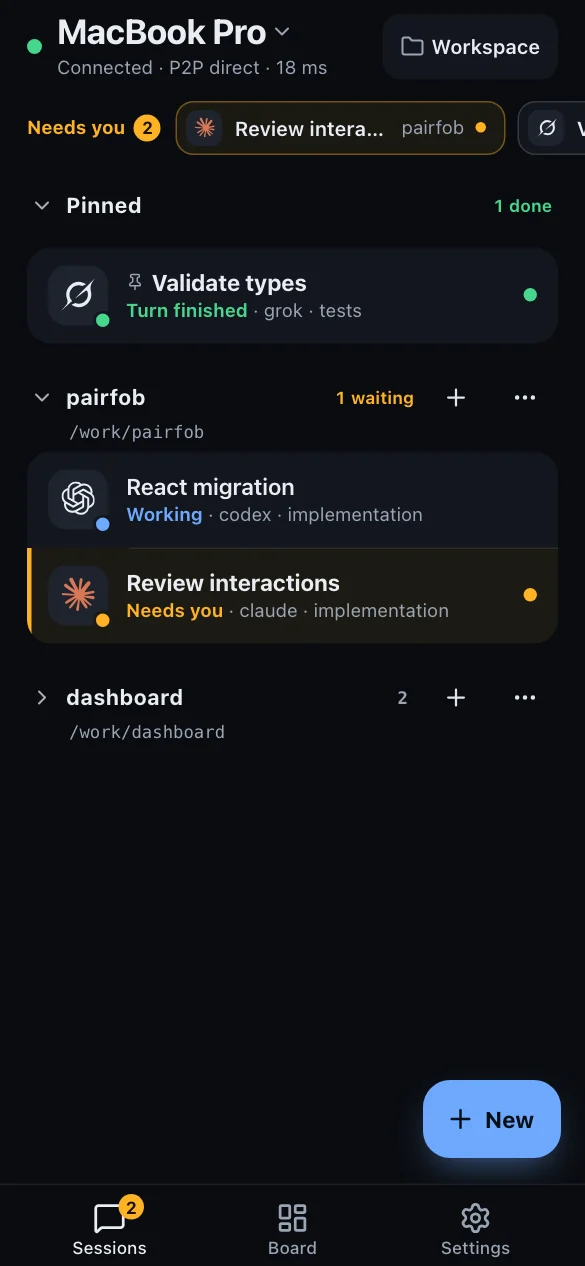
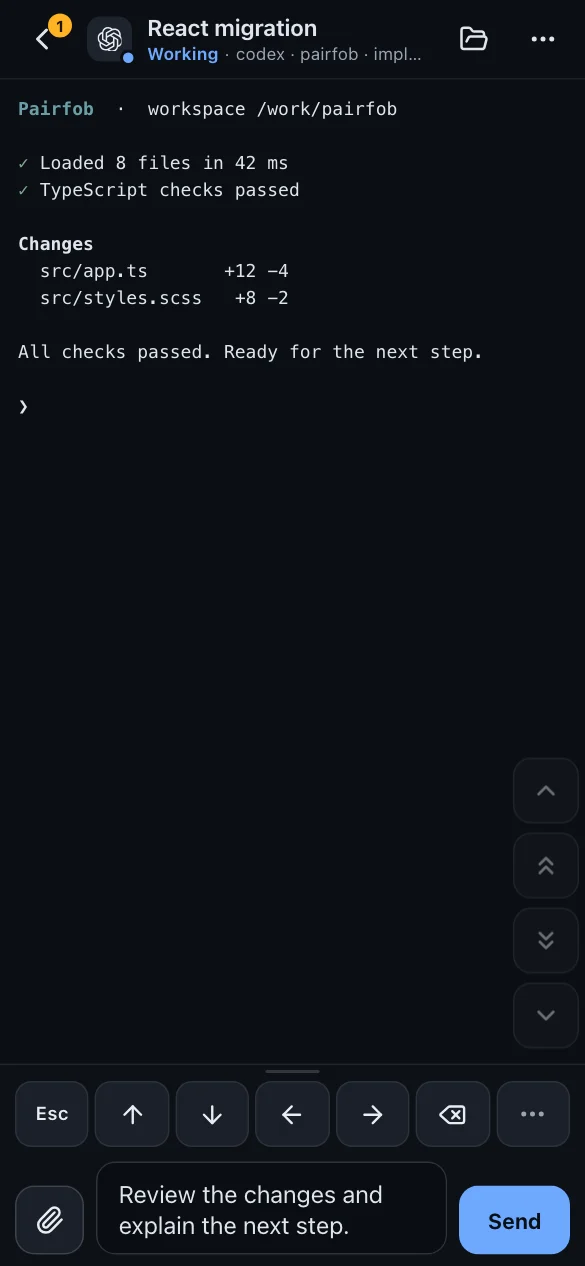
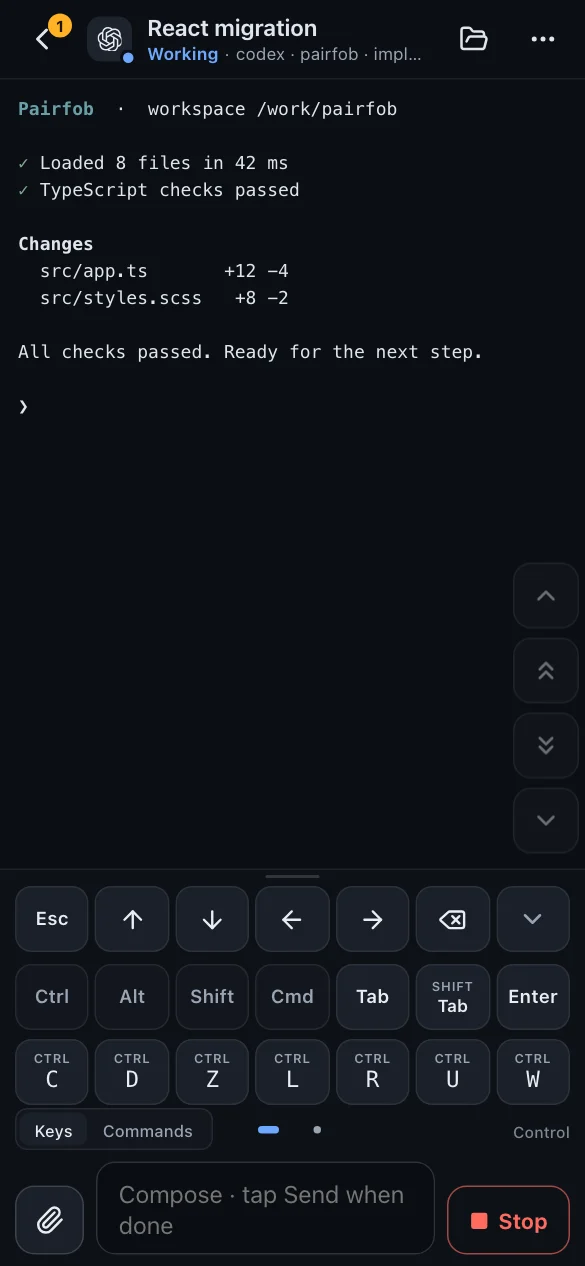
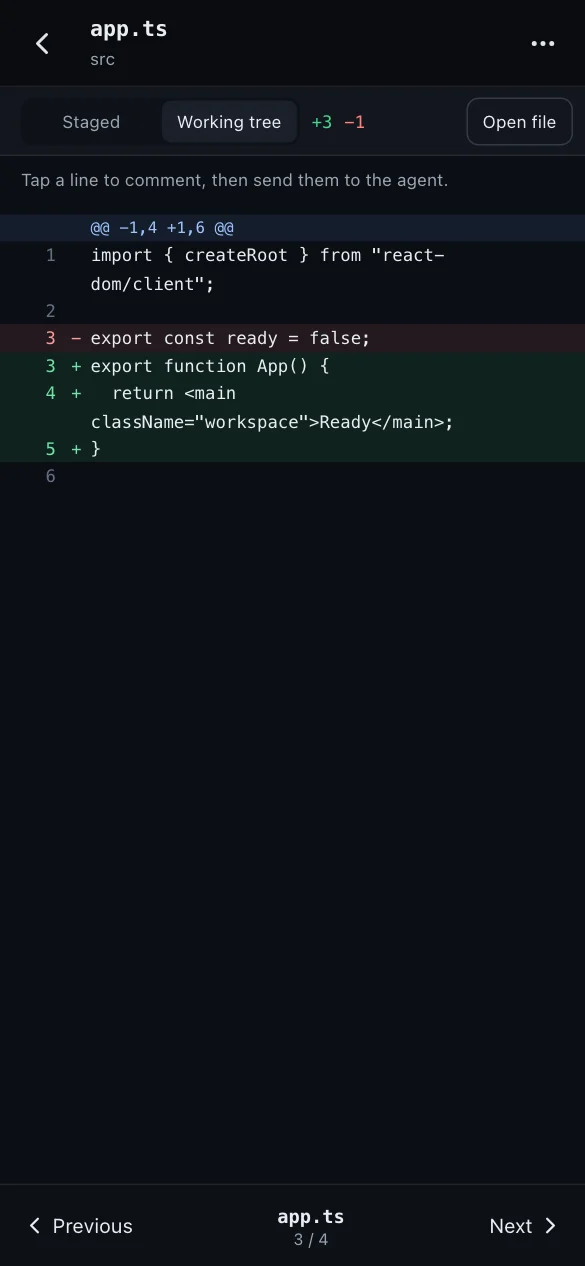
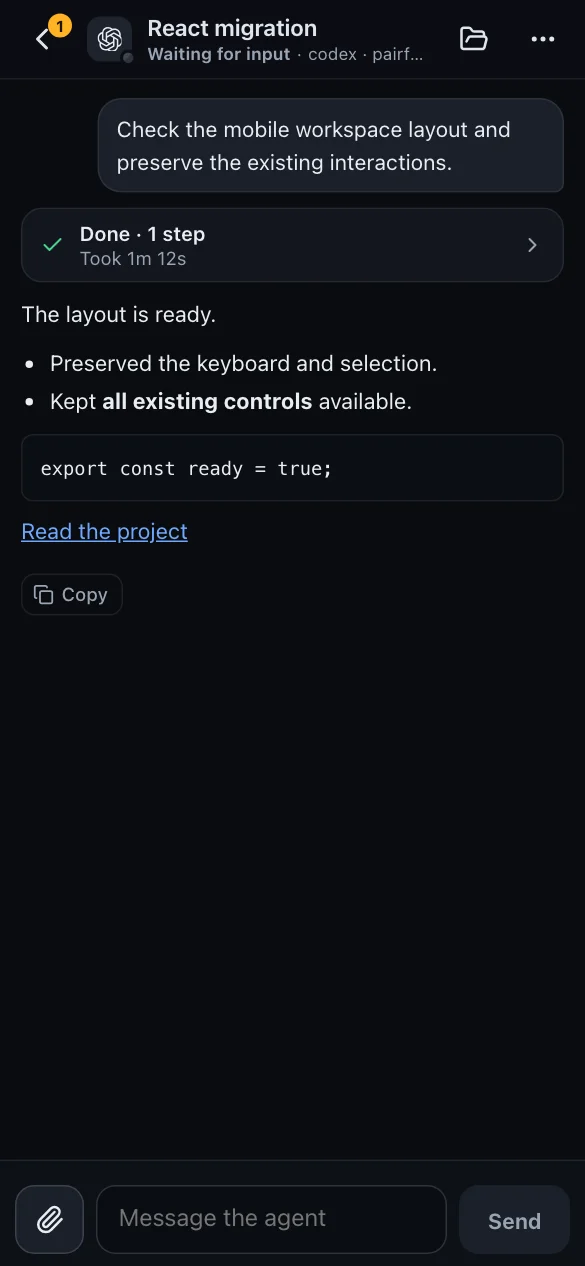
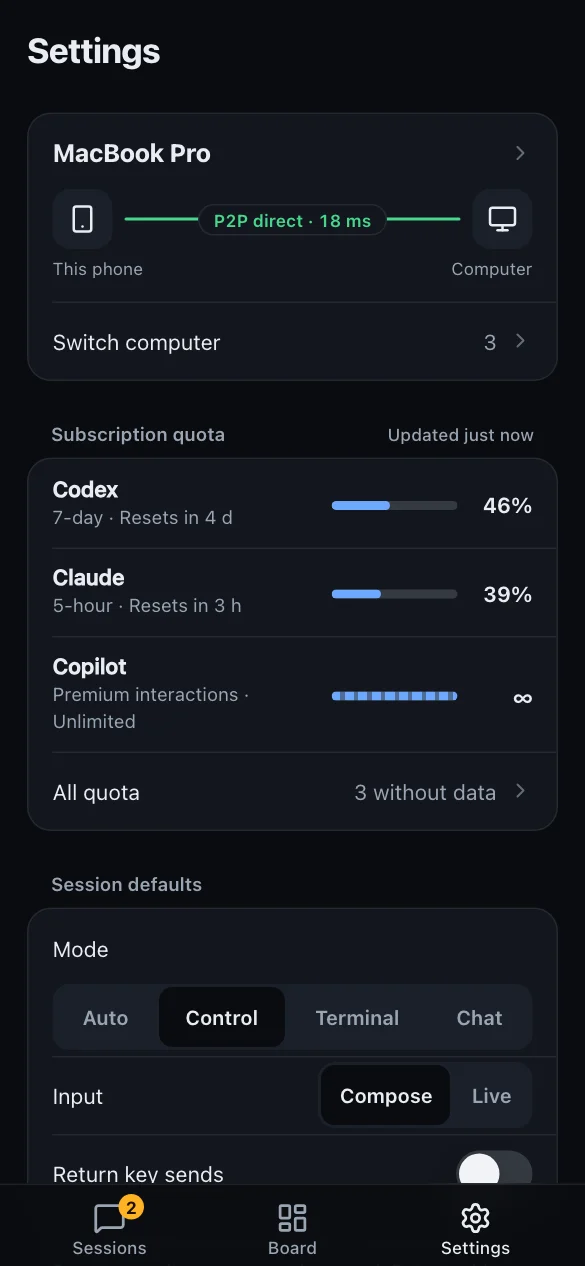
On a tablet or another computer, it works the same.
Turn a tablet sideways for two columns: sessions on the left, the terminal on the right.
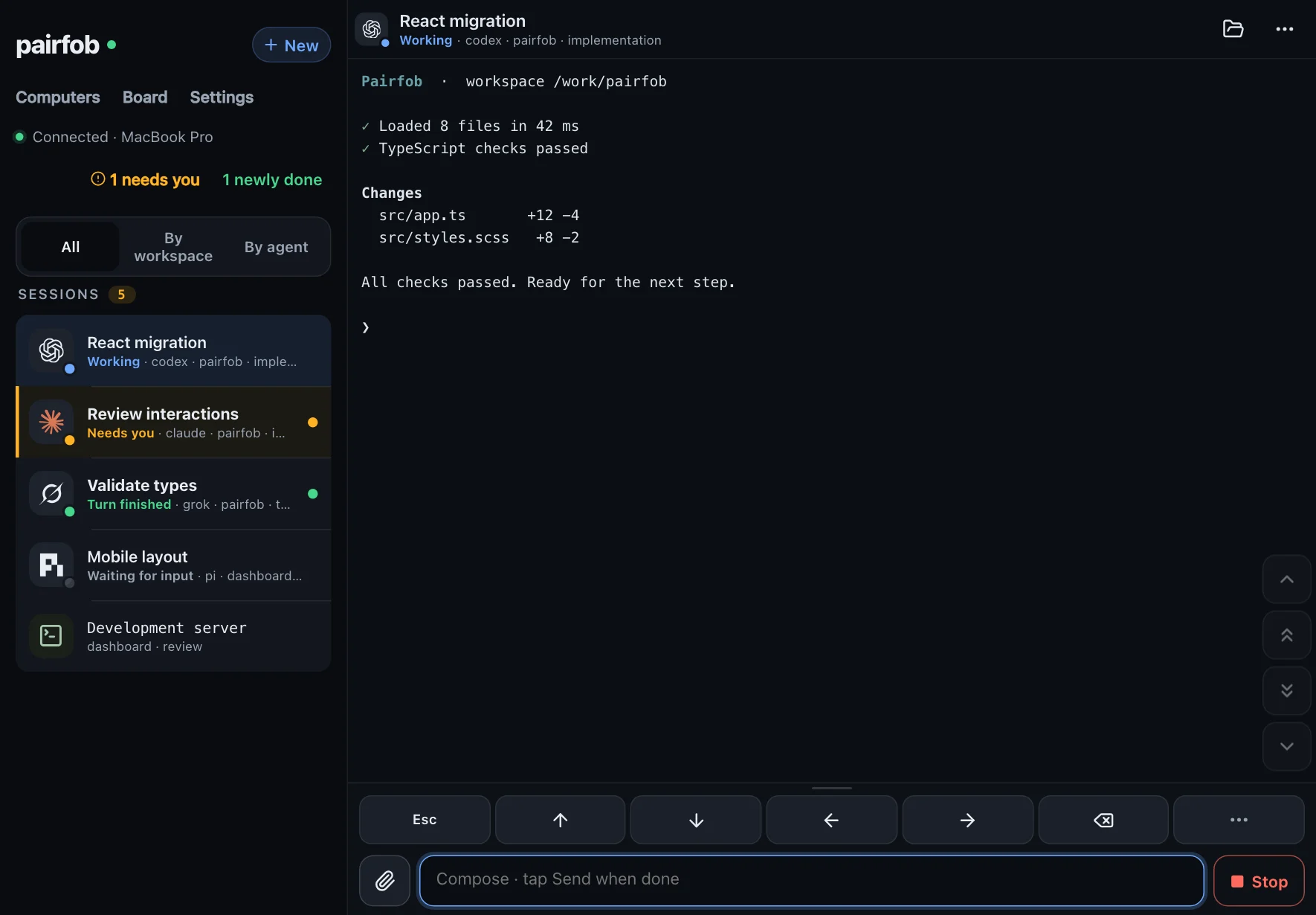
What's available is whatever the live Herdr on your computer supports. Unsupported actions aren't shown, and never faked as success.
How is it different?
Not a remote desktop,
and not agents in the cloud.
Not
Attaches to sessions, not the whole desktopRemote desktop / VNC / screen shareNot
Opens the session already running on the computerAnother terminal in the browserNot
Agents still run on your computerAgents moved into the cloudNot
What the computer can do is what the phone can doA cut-down mobile agentNot
Pairing is authorization; the credential stays in this browserAn account loginNot
The computer dials out; you do not open ports at homeA VPN / Tailscale
Is it secure?
Direct whenever possible:
sessions skip the relay.
By default your phone and computer connect directly (P2P), so session data never passes through pairfob.com. Only when a direct path fails does it go through the relay, and the relay only forwards ciphertext; it can't see the screen or what you type.
Preferred · P2P direct
If direct fails · via the relay
The relay also helps the two sides find each other; the messages that set up the direct link are encrypted too. To find a direct path, the browser asks Cloudflare's public-address lookup service once, and that service sees this device's public IP address.
Still have questions?
FAQ
Didn't find it? Read the docs or open a GitHub issue. Report security issues privately.
Do I need to install an app on my phone?
No. Open pairfob.com/pair in the phone's browser. Add it to the Home Screen and it works like an app.
Does locking the screen or closing the lid still work?
A locked screen is fine. A closed lid only works if the machine does not sleep. Pairfob cannot wake a sleeping computer.
Can I install pairfob on Windows?
Not yet. A Windows machine can open the page as another screen. The host still has to be macOS or Linux.
Do I need Tailscale or an inbound port?
No. pairfob only dials out.
Can one device manage several computers?
Yes. A phone, tablet, or another computer can be the device. After the second host is installed: Settings → Switch computer → Add a computer.
Does it cost money?
No.
Before you leave your desk,
set it up.
Run this in a terminal on the computer with Herdr:
curl -fsSL https://pairfob.com/install.sh | sh
Then run pairfob pair and scan with your phone at pairfob.com/pair.
Already set up on your computer?